Radiomaster T8L ELRS Radio Controller (M2) : RM0157.T8L-COLOUR-LBT
Radiomaster T8L ELRS Radio Controller (M2) : RM0157.T8L-COLOUR-LBT
*** Batteries not included ***
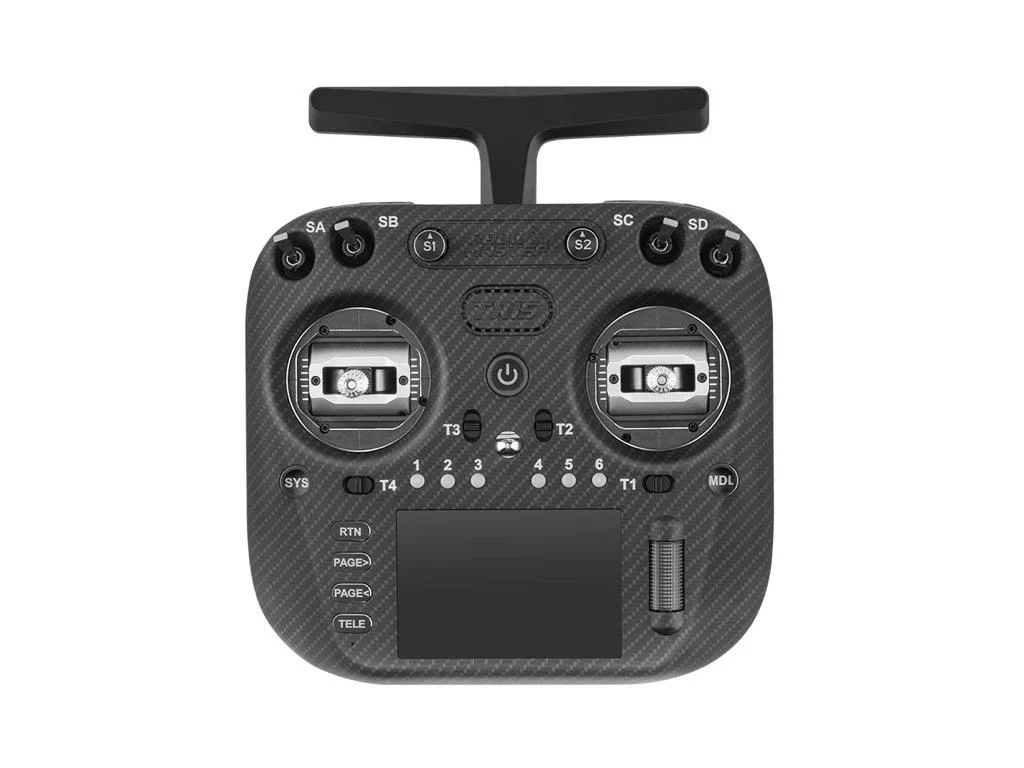
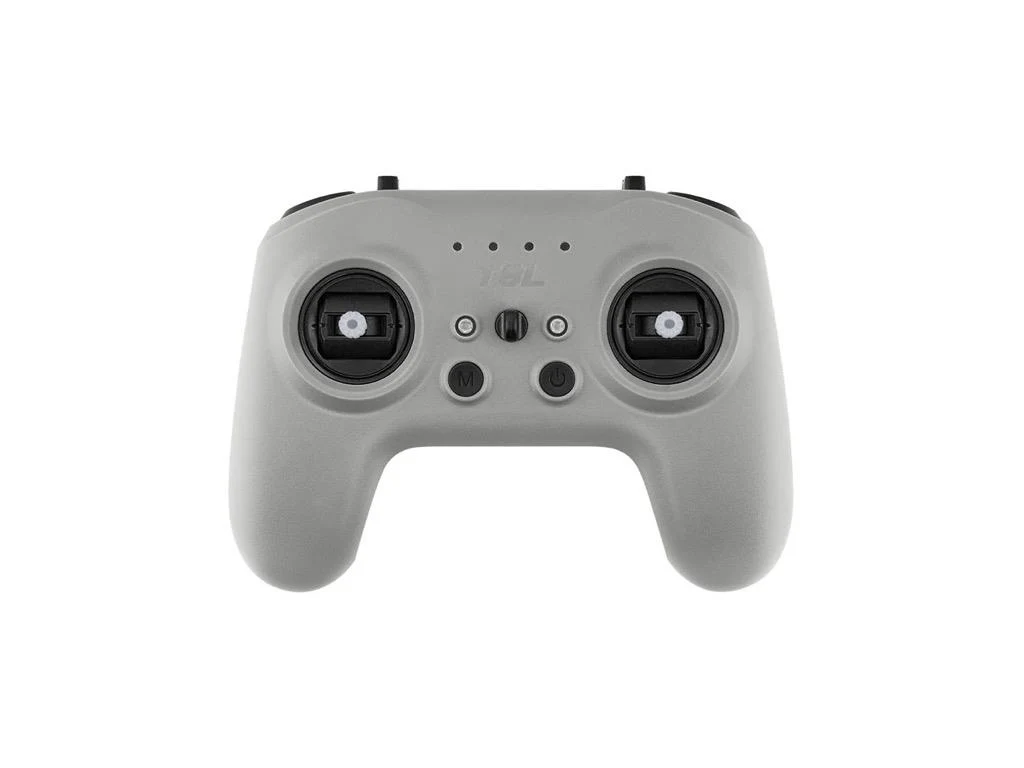
The RadioMaster T8L brings the power of ExpressLRS 2.4GHz into a clean, compact form — and is the first screen-less radio controller officially supported by ExpressLRS.
Designed for pilots who value simplicity, portability, and reliability, the T8L delivers responsive control with up to 10 channels via the CRSF protocol. Whether you’re flying a micro multi-copter, fixed-wing aircraft, or just need a dependable backup radio, the T8L provides a smooth, streamlined experience — perfect for indoor or park flying.
With high-precision quad-bearing Hall-effect gimbals, integrated USB-C charging, and simulator compatibility, the T8L is ready to go right out of the box. Setup is quick and easy through a web-based configuration tool that runs directly in Chrome or Edge — no display or external software required.
Features
- Built-in ExpressLRS 2.4GHz module
- Single button press binding to any ExpressLRS receiver
- Quad bearing Hall-effect gimbals for smooth, precise stick control
- 5-way trim buttons with LED and audible feedback
- USB-C port for charging, firmware updates, and simulator use
- Web-UI support (no screen required) for full configuration
- Up to 10 channels supported (receiver-dependent)
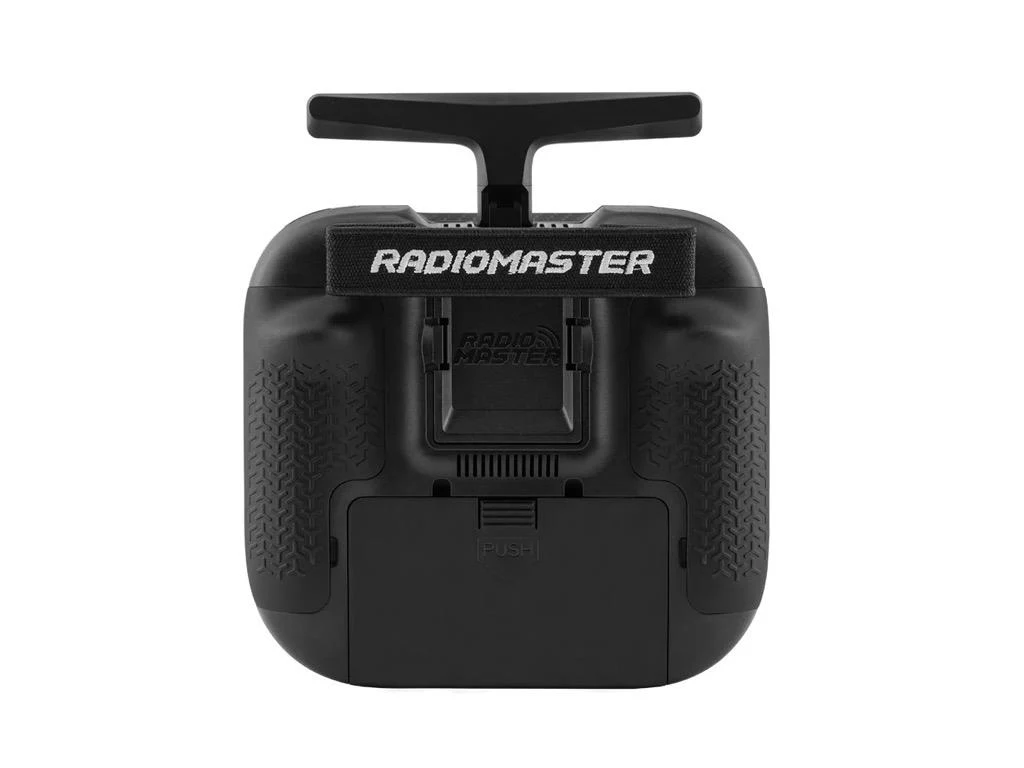
- Rear potentiometer slider for extra input or tuning
- Compact, lightweight design (just 204g) for easy transport
- LED-based interface for system status, battery level, and calibration
- Simulator-compatible—connect via USB and start flying virtually
- Custom button and switch behaviour settings via Web UI
Specification
- Item: T8L Radio Controller
- Size: 165*120*70mm
- Weight: 204g
- Frequency: 2.400GHz-2.480GHz
- RF Module: 2.4GHz ExpressLRS(SX1281)
- Transmission power: Adjustable 10dBm(10mW) - Max 20dBm(100mW)
- Battery: 3.7v 18650 x 2 (Not Included)
- Charging: Built-in USB-C charging
- Firmware: T8L (Special T8L Edition, non-configurable)
- Channels: Up to 10 channels (depending on the model/receiver)
- Gimbal: X5 Hall-effect, quad ball-bearing, nano gimbals
- Smart Web-Based Configuration
The T8L features a powerful HTML-based Web UI that lets you configure every major function directly from your browser. Plug into a PC or Mac via USB-C, open the web tool, and you can:
- Calibrate sticks and trims.
- Adjust the ExpressLRS settings and power output.
- Customize endpoint ranges and reverse directions.
- Remap channels and set operation modes (Mode 1 / Mode 2).
- Customize switch behaviour (click, single, double).
- Adjust audio prompts and update firmware.
- Update both the T8L and its built-in ELRS module.
- No apps. Just plug in, connect, and configure.
Web UI Access: https://radiomaster-rc.github.io/RM-Web-Page/Connection.html
How to connect:
To use the web configuration app, you must connect the T8L transmitter to your computer following this specific process:
- 1. Press and hold the M button (keep it pressed until after step 3).
- 2. Connect the USB cable.
- 3. Power on the transmitter using the power button.
Allow windows to configure the new device, and after that, you can now connect to the web configuration app.
Package Includes
- 1 * T8L Radio Controller
- 1 * USB-C Cable
- 4 * Low Tension Gimbal Springs
- 1 * User Manual


Product Information
Product Information
Shipping & Returns
Shipping & Returns
Description
Radiomaster T8L ELRS Radio Controller (M2) : RM0157.T8L-COLOUR-LBT
*** Batteries not included ***
The RadioMaster T8L brings the power of ExpressLRS 2.4GHz into a clean, compact form — and is the first screen-less radio controller officially supported by ExpressLRS.
Designed for pilots who value simplicity, portability, and reliability, the T8L delivers responsive control with up to 10 channels via the CRSF protocol. Whether you’re flying a micro multi-copter, fixed-wing aircraft, or just need a dependable backup radio, the T8L provides a smooth, streamlined experience — perfect for indoor or park flying.
With high-precision quad-bearing Hall-effect gimbals, integrated USB-C charging, and simulator compatibility, the T8L is ready to go right out of the box. Setup is quick and easy through a web-based configuration tool that runs directly in Chrome or Edge — no display or external software required.
Features
- Built-in ExpressLRS 2.4GHz module
- Single button press binding to any ExpressLRS receiver
- Quad bearing Hall-effect gimbals for smooth, precise stick control
- 5-way trim buttons with LED and audible feedback
- USB-C port for charging, firmware updates, and simulator use
- Web-UI support (no screen required) for full configuration
- Up to 10 channels supported (receiver-dependent)
- Rear potentiometer slider for extra input or tuning
- Compact, lightweight design (just 204g) for easy transport
- LED-based interface for system status, battery level, and calibration
- Simulator-compatible—connect via USB and start flying virtually
- Custom button and switch behaviour settings via Web UI
Specification
- Item: T8L Radio Controller
- Size: 165*120*70mm
- Weight: 204g
- Frequency: 2.400GHz-2.480GHz
- RF Module: 2.4GHz ExpressLRS(SX1281)
- Transmission power: Adjustable 10dBm(10mW) - Max 20dBm(100mW)
- Battery: 3.7v 18650 x 2 (Not Included)
- Charging: Built-in USB-C charging
- Firmware: T8L (Special T8L Edition, non-configurable)
- Channels: Up to 10 channels (depending on the model/receiver)
- Gimbal: X5 Hall-effect, quad ball-bearing, nano gimbals
- Smart Web-Based Configuration
The T8L features a powerful HTML-based Web UI that lets you configure every major function directly from your browser. Plug into a PC or Mac via USB-C, open the web tool, and you can:
- Calibrate sticks and trims.
- Adjust the ExpressLRS settings and power output.
- Customize endpoint ranges and reverse directions.
- Remap channels and set operation modes (Mode 1 / Mode 2).
- Customize switch behaviour (click, single, double).
- Adjust audio prompts and update firmware.
- Update both the T8L and its built-in ELRS module.
- No apps. Just plug in, connect, and configure.
Web UI Access: https://radiomaster-rc.github.io/RM-Web-Page/Connection.html
How to connect:
To use the web configuration app, you must connect the T8L transmitter to your computer following this specific process:
- 1. Press and hold the M button (keep it pressed until after step 3).
- 2. Connect the USB cable.
- 3. Power on the transmitter using the power button.
Allow windows to configure the new device, and after that, you can now connect to the web configuration app.
Package Includes
- 1 * T8L Radio Controller
- 1 * USB-C Cable
- 4 * Low Tension Gimbal Springs
- 1 * User Manual